
If you accidentally deleted one or more pieces of content in your Canvas course, you may be able to recover that content by using a somewhat hidden tool commonly referred to in the Canvas Community website as the “Undelete” trick. Although this tool is not guaranteed to restore all deleted course content, it is worth a few minutes of your time if you are looking to restore something that was deleted.
- Navigate to the Home page of a Canvas course.
- In your browser’s address bar at the top of the screen, your course URL will look something like the image below (where 12345 is the unique Course ID number for your Canvas course):

- Add the following to the end of the URL: /undelete

- Press Enter on your keyboard. The Restore Deleted Items page will display on your screen.
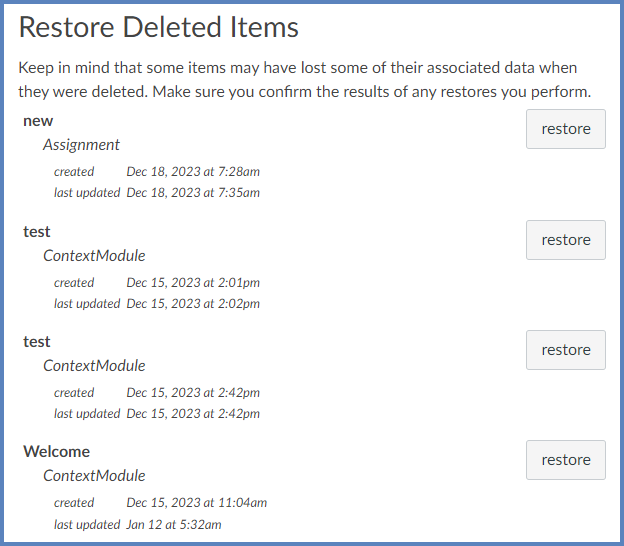
- Review the short paragraph: “Keep in mind that some items may have lost some of their associated data when they were deleted. Make sure you confirm the results of any restores you perform.”
- Click on the restore button next to an item to restore it to your course.
- Click the OK button to confirm that you want to restore the selected item.
- Repeat Steps #6 and #7 to restore additional items.
Additional Resources
Undeleting Things in Canvas