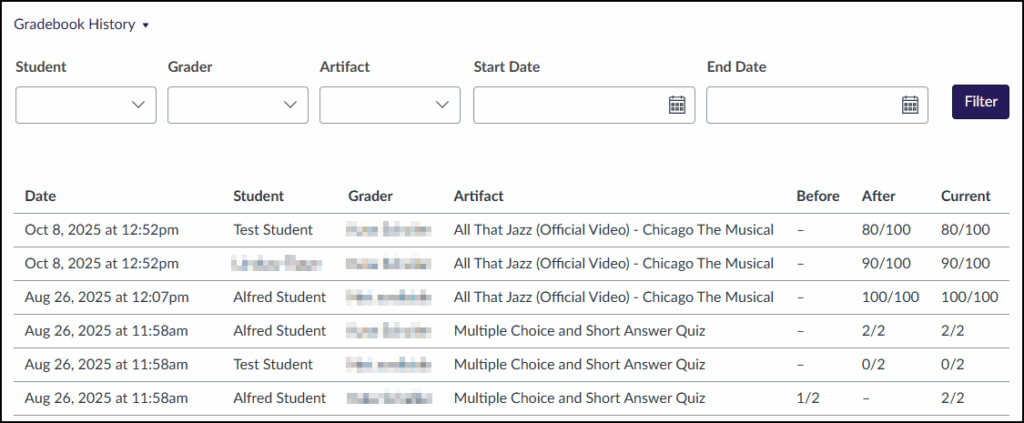
The Gradebook History page displays a complete read-only view of who has graded each artifact within a Canvas course.
To access Gradebook History:
- Click on Grades in the left-hand course navigation meu within your Canvas course.
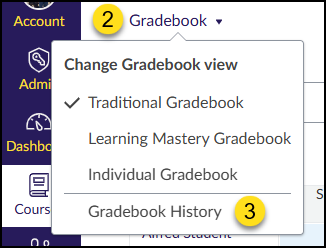
- Click on the Gradebook drop-down menu at the top left corner of the screen.
- Click on the Gradebook History option.
Use the drop-down lists to filter by Student, Grader, Artifact, Start Date, and End Date. Click the Filter button to apply your filter.
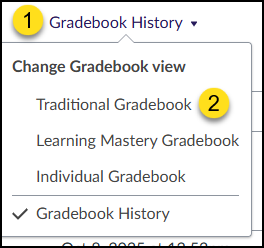
To return to the Traditional Gradebook:
- Click on the Gradebook History drop-down menu at the top left corner of the screen.
- Click on the Traditional Gradebook option.